Licensing & Device Identity
How seats work when your app embeds the SDK, and what that means for
your code: one initialize call, an online check on first use, and
offline operation after that. Commercial terms are in the
Apple SDK Product Terms.
Main features
One call:
initialize(api_token:)registers the device and unlocks every pipeline.Online once: the token is validated on first model start; after that inference is fully offline.
Offline grace: a temporary loss of connectivity does not stop a registered device.
Stable seats: reinstalling the same app on the same device keeps the same seat.
Quick start
import TheStageSDK

// Once per process, before any pipeline or start_model
try await TheStageAI.shared.initialize(api_token: token)
import 'package:thestage_apple_sdk/thestage_apple_sdk.dart';

// Once per process, before any start_model
await TheStageFlutterSDK.initialize(api_token: token);
Important API
Term |
Meaning |
|---|---|
Seat |
One |
``apiToken`` |
Identifies your organisation. Generate it at app.thestage.ai → Profile → API tokens. |
``deviceId`` |
Identifies the registered device for that token. Survives reinstalls of the same app. |
Grace period |
After a successful online validation, the device keeps working offline for a limited window. |
Usage Guides
Keep the token out of the binary
Problem
Building — any shipping app.
Users want — nothing; this is for you — the token must not be in git or readable from the bundle.
Hard part — initialize needs the token at runtime, so it has
to come from somewhere the build controls.
Solution — what to use
Build setting →
Info.plist→Bundle.main.object(forInfoDictionaryKey:)at launch.Flutter:
--dart-define-from-file=secrets.json→String.fromEnvironment..gitignorethe secrets file and the xcconfig.Or fetch it from your backend on first launch.
// Build setting → Info.plist → read at launch
let token = Bundle.main.object(forInfoDictionaryKey: "TS_API_TOKEN") as! String
try await TheStageAI.shared.initialize(api_token: token)
// flutter run --dart-define-from-file=secrets.json
const token = String.fromEnvironment('TS_API_TOKEN');
await TheStageFlutterSDK.initialize(api_token: token);
Attention
Add
secrets.json/ the xcconfig to.gitignore.Rotating a token does not change seats already registered.
Ship an app that works with no network
Problem
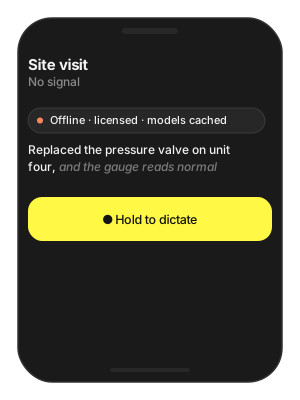
Building — a field-service app used in places with no signal for days.
Users want — dictation and transcription keep working underground and on site.
Hard part — the licence validates online and the models download online; both have to happen while there is still connectivity.
Solution — what to use
TheStageAI.shared.initialize(api_token:)during onboarding, online — renews the offline grace period.prefetch_engines(repo_id:)for every model right after.In the field the same calls are served from cache.
Call
initializeagain whenever the app has connectivity.
// Onboarding, online:
try await TheStageAI.shared.initialize(api_token: token)
_ = try await TheStageAI.shared.prefetch_engines(
    repo_id: "TheStageAI/thewhisper-large-v3-turbo")

// In the field, offline: same calls, served from cache.
await TheStageFlutterSDK.initialize(api_token: token);
await TheStageFlutterSDK.prefetch_engines(
  repo_id: 'TheStageAI/thewhisper-large-v3-turbo');
Attention
The offline grace period renews on every successful online
initialize; call it whenever the app has connectivity.First-run download needs network regardless — do it on onboarding.
Troubleshooting
Symptom |
Cause |
Fix |
|---|---|---|
Pipelines throw “not initialized” |
|
Await it first, once per process. |
Works on Wi-Fi, fails after a week offline |
Grace period expired. |
Call |
Seat count higher than devices |
Multiple tokens in use, or test tokens on production devices. |
One token per app; open a Service Request at app.thestage.ai/contact for plan questions. |