TheStage Apple SDK
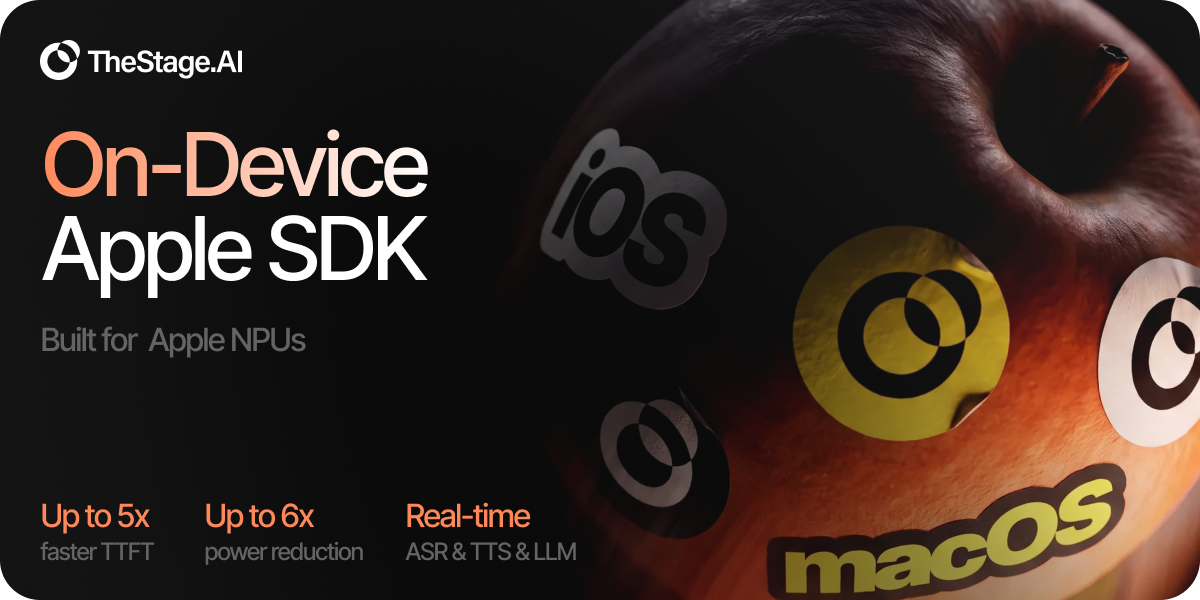
TheStage is an NPU-first runtime for Apple Silicon. Speech, language, and vision run on the Neural Engine by default; GPU and CPU are fallbacks, not the hot path. That is the difference versus stacks that sit on the GPU: phones stay cooler, laptops stay on battery, and a voice agent can run for a real session.
On Gemma 3 1B, sustained generation draws about 5.1× less power on an M3 Max and 3.5× less on iPhone 13 than MLX on GPU. Time to first token stays in the low tens of milliseconds on the packs below.
Shipping engines are on Hugging Face
(TheStageAI): Qwen3-0.6B,
LFM2.5-230M / 350M, Gemma 3 1B, LFM2.5-VL, Whisper
large-v3-turbo, Qwen3-ASR, NeuTTS nano, Qwen3-TTS,
Silero VAD. One infer / infer_stream API covers chat, tools,
structured extract, captions / OCR, ASR, TTS, and the full Voice Agent
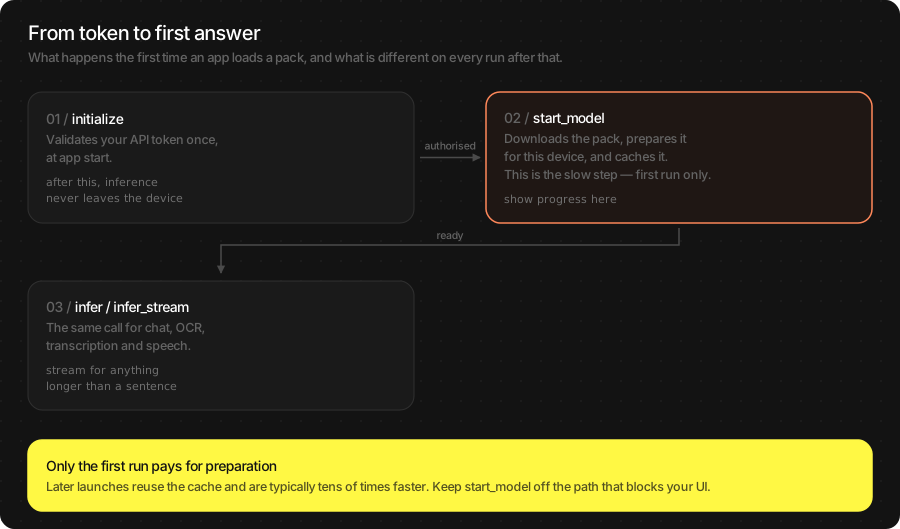
loop. After initialize, inference never leaves the device.
Native Swift (SwiftPM) and a Flutter plugin for iOS share the same on-disk cache.
Warning
The Simulator is not supported — the models need the Neural Engine on real hardware. Use an Apple Silicon Mac or a physical iPhone / iPad. Flutter is iOS only.
Attention
You need an API token from the TheStage AI Platform. Pricing and Device Seats are by arrangement — open a Service Request at app.thestage.ai/contact. Never commit the token to source control.
Core capabilities
Every pipeline runs on device. Open a card for the API:
Get a token
Every load starts with initialize. Without a token, no pipeline
starts.
Sign in at app.thestage.ai.
Open Profile → API tokens.
Generate API token, add a description, generate.
Copy it now — you cannot view it again.
Screenshots: SSH Keys and API Tokens.
The token is checked once on first model start. After that the SDK runs offline. A 7-day grace window covers a temporary disconnect.
Note
Keep the token out of git. On Mac, export TS_API_TOKEN=th_….
In Flutter examples, copy secrets.example.json → secrets.json
and pass --dart-define-from-file=secrets.json.
Hear it in one command
Fastest path: streaming TTS on a Mac. No Xcode, no device, no mic permission.
git clone https://github.com/TheStageAI/AppleSDK.git
cd AppleSDK/examples/macos_swift_tts
export TS_API_TOKEN=th_…
swift run
First run downloads TheStageAI/neutts-nano-multilingual and caches
it. Later runs start from cache. You should hear two spoken phrases.
Need a physical iPhone or a different job? Other examples:
Example |
Where |
What it does |
|---|---|---|
Mac |
Streaming TTS — the command above |
|
Mac |
Receipt / chat / SMS → structured data. Tutorial |
|
iPhone |
Mixed-language Qwen3-TTS. Tutorial |
|
iPhone (Flutter) |
Mic → VAD → STT → LLM → TTS with barge-in |
|
iPhone |
tok/s and TTFT for LLM / TTS / ASR / VLM |
Each folder has a README.md. Pin the SDK tag that matches that
example’s VERSION file. Catalog:
examples/.
Add the SDK to your app
What you need
macOS 15+ or iOS 18+
Xcode 16+, Swift 6
Apple Silicon Mac, or a physical iPhone / iPad
Flutter 3.24+ / Dart 3.5+ only if you use the plugin
Tested with macOS 15.6, iOS 18.6, Xcode 26.1, Swift 6.2.
Install
Xcode: File → Add Package Dependencies… →
https://github.com/TheStageAI/AppleSDK.git → add TheStageSDK.
Or in Package.swift:
.package(url: "https://github.com/TheStageAI/AppleSDK.git", from: "1.4.0")
dependencies:
  thestage_apple_sdk:
    git:
      url: https://github.com/TheStageAI/AppleSDK.git
      path: plugin/thestage_apple_sdk
      ref: v1.4.0
Then once: flutter config --enable-swift-package-manager, and set
the Runner target to iOS 18.0+.
First call
import TheStageSDK

try await TheStageAI.shared.initialize(api_token: token)

let llm = try await TSLLM(
    engines_path: "TheStageAI/Qwen3-0.6B",
    on_load_progress: { p in
        print("[\(p.model)] \(p.phase) \(Int(p.fraction * 100))%")
    }
)
var config = llm.generation_defaults
config.max_new_tokens = 64
config.enable_thinking = false
print(llm.infer(prompt: "One line about Swift.", config: config).text)
TSLLM, TSVLM, WhisperPipeline, Qwen3ASRPipeline,
NeuTTSMultilingualPipeline, Qwen3TTSPipeline and SileroVAD
share this constructor shape.
import 'package:thestage_apple_sdk/thestage_apple_sdk.dart';

await TheStageFlutterSDK.initialize(api_token: token);
await TheStageFlutterSDK.start_model(
  model_name: 'llm',
  engines_path: 'TheStageAI/Qwen3-0.6B',
);
final result = await TheStageFlutterSDK.infer(
  model_name: 'llm',
  input_json: {'prompt': 'One line about Swift.', 'max_new_tokens': 64},
);
print(result[0]['text']);
Dart always uses this JSON path (start_model + infer /
infer_stream); Swift can use it too via TheStageAI.shared.
Load Progress
Every public loader takes on_load_progress. Fraction is monotonic
in 0...1:
Phase |
Band |
What it is |
|---|---|---|
|
0.00 – 0.70 |
Hugging Face fetch (skipped on cache hit) |
|
0.70 – 0.85 |
Unpack into the local cache (skipped on cache hit) |
|
0.85 – 0.99 |
Pipeline construction |
|
1.00 |
Success only |
Flutter: subscribe to TheStageFlutterSDK.on_progress
({model_name, phase, progress}).
Audio I/O Contract
Public audio is PCM [Float] (Dart: Float32List, never
Float64List), mono, samples in [-1.0, 1.0]:
Pipeline |
Direction |
Rate |
Chunking |
|---|---|---|---|
|
in |
16 kHz |
exactly 512 samples per |
Whisper / Qwen3-ASR |
in |
16 kHz |
~10 s windows / ~30 s segments |
NeuTTS / Qwen3-TTS |
out |
24 kHz |
streamer chunks, or one full buffer |
Voice Agent resamples TTS to sample_rate_out. See
Voice Agent.
Also see
Logging & Debugging — session logs
Speaker embedding — enroll / verify
Licensing & Device Identity — device seats
TheStage Apple SDK Product Terms — commercial terms