TheStage AI Platform: Account and Billing
This article provides information on TheStage AI account.
TheStage AI Account Overview
A TheStage AI account allows researchers to:
Form a computational cluster consisting of rented server instances and connected self-hosted instances.
Organize and manage research and development.
Access TheStage AI’s proprietary technology: Qlip, which significantly enhances model performance and resource efficiency.
Some services are payable, while others are provided for free.
TheStage AI Account Creation
You can sign up for a TheStage AI account at TheStage AI Sign-Up:
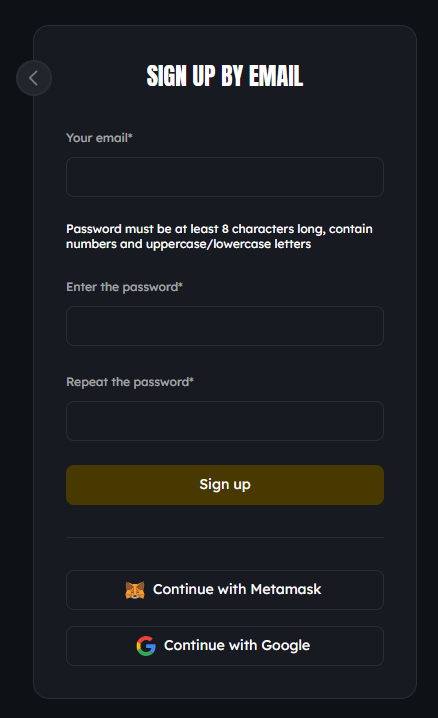
TheStage AI offers the following methods for account creation, authentication, and authorization:
Email address and password,
Google account.
Please select a method and follow the instructions provided.
TheStage AI Account Management: Profile
Once you have signed up for a TheStage AI account, you can log in and access the Profile section:
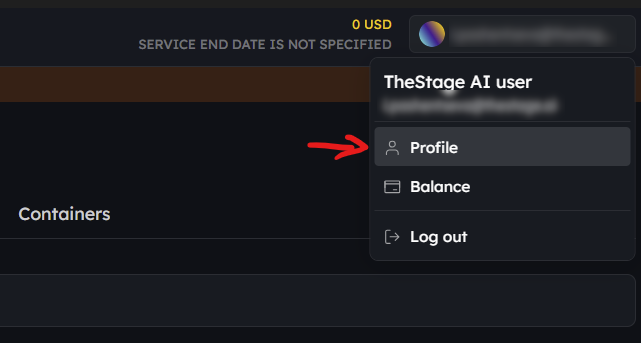
The account profile allows you to manage various aspects of your account:
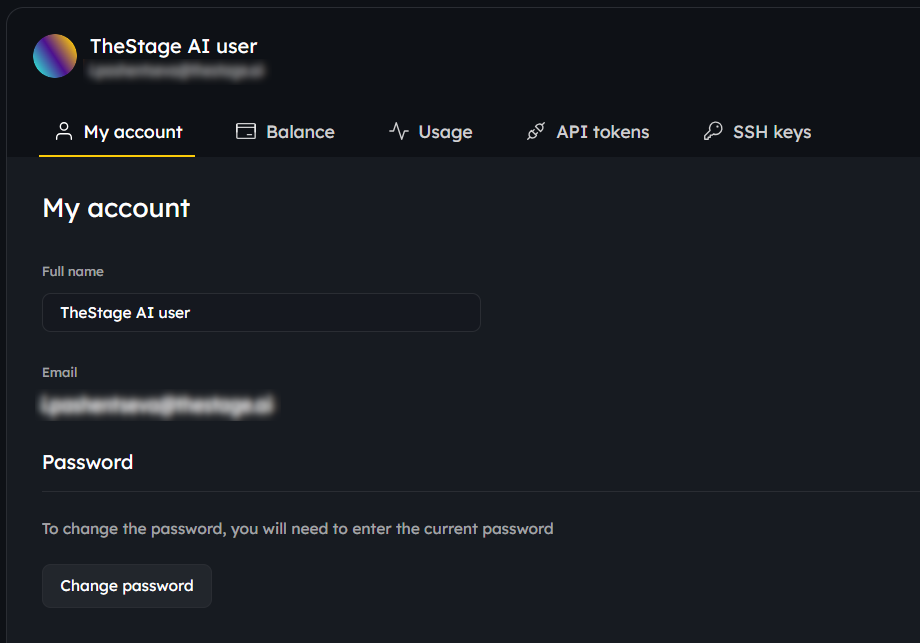
My Account: Specify or change your name and password.
Balance: Top up your account balance and view balance history. For more information, please refer to the “Billing and Payment” section below.
Usage: View payable services activated on your account.
API tokens: Manage API tokens to use TheStage AI CLI and the Qlip toolkit/
SSH keys: Manage SSH keys to access your server instances rented trough TheStage AI platform.
Billing and Payments
Once you have signed up for a TheStage AI account, you can log in and access details of your account balance:
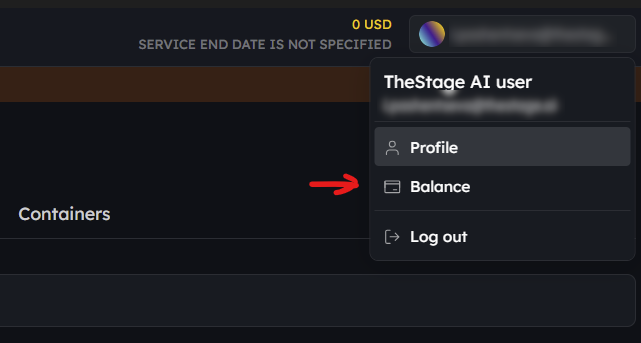
The “Service end date is not specified” message means that there are currently no paid services enabled on the account.
Account Balance Management
TheStage AI account allows to rent server instances, as long as there are enough funds in the account balance.
To rent a new server instance, the account balance must have enough funds to cover the costs of all current and future server instances for a minimum of one hour.
Top-ups
The account balance can be topped up with both fiat currency as well as cryptocurrency:
Fiat Currency: Transactions in USD are accepted. Payments made via credit and debit cards are facilitated through Stripe. Support for EUR is planned for the near future.
Cryptocurrency: Crypto payments are accepted in ETH and USDT (ERC20) on the Ethereum network. Transactions should be sent to the address associated with the respective TheStage AI account. For transaction confirmation, we wait approximately 10-12 blocks (~3 minutes). Support for USDT (TRC20) on Tron is planned for the near future.
Withdrawals
Currently, withdrawals are not supported.
Account Currency
Before making the first deposit, the account currency must be selected. Currently, only USD is supported as the account currency.
The account balance, server rental costs, and other financial details are calculated and displayed in the account currency. All payments and transactions on the TheStage AI platform are processed in this currency.
Top-ups:
Fiat: Only top-ups in the account currency are accepted.
Crypto: All crypto funds are immediately converted to the account currency upon receipt, with exchange rates fetched from the cex.io crypto exchange.
Payments for Rented Server Instances
Balance Deductions
Transactional deductions from the account balance are applied every 24 hours, covering all rented services utilized in the last 24 hours. Should there be no rental of server instances during this period, the account balance remains unaffected.
There’s no minimum rental period for server instances. Billing is accurate to the exact duration of use, calculated down to the second. For example, if a server instance was rented for 1 hour, and 5 seconds, the billing will precisely reflect this usage period.
For each rented server instance, a separate transactional deduction is made. Thus, if two server instances were rented in the last 24 hours, there will be two distinct transactions. All deduction transactions are recorded in the account balance history, providing transparency and easy tracking.
Current Account Balance
The current account balance is accessible within TheStage AI account. The Web application updates this by fetching the latest data from TheStage AI backend. The displayed balance accounts for all server instances rented since the last balance deduction, up to the point of the most recent recalculation. This updated figure is what is displayed as the current account balance. Moreover, an estimated duration is also provided, indicating how long the available balance is expected to cover the ongoing rental costs.
Transaction History for TheStage AI Account
Every account on TheStage AI provides a record of all transactions, including:
Account top-ups,
Payments for rented hardware instances,
Conversions to the account balance.
Zero Account Balance Notifications and Actions
Balance Recalculation
TheStage AI platform continuously recalculates account balances to ensure there are sufficient funds to pay for rented server instances and other payable services.
Notifications
Notifications are sent to the email address specified in your TheStage AI account. You will receive notifications when your current balance is sufficient for only 7 days, 5 days, and 1 day to cover the costs of your rented servers and other payable services.
Zero Balance Actions
Upon reaching a zero balance:
Access to the rented server instances is revoked.
All rented server instances are halted. Their statuses are set to “offline”.
A notification is sent for each deactivated server instance and payable service.
The account status is set from “active” to “suspended”.
If no top-up is made within 7 days, the server instances are terminated.
Restoring Access upon Balance Top-Up
If the balance is replenished within this 7-day period, access to the halted server instances will be restored. During the period when the servers are halted, no charges will be incurred for their use.